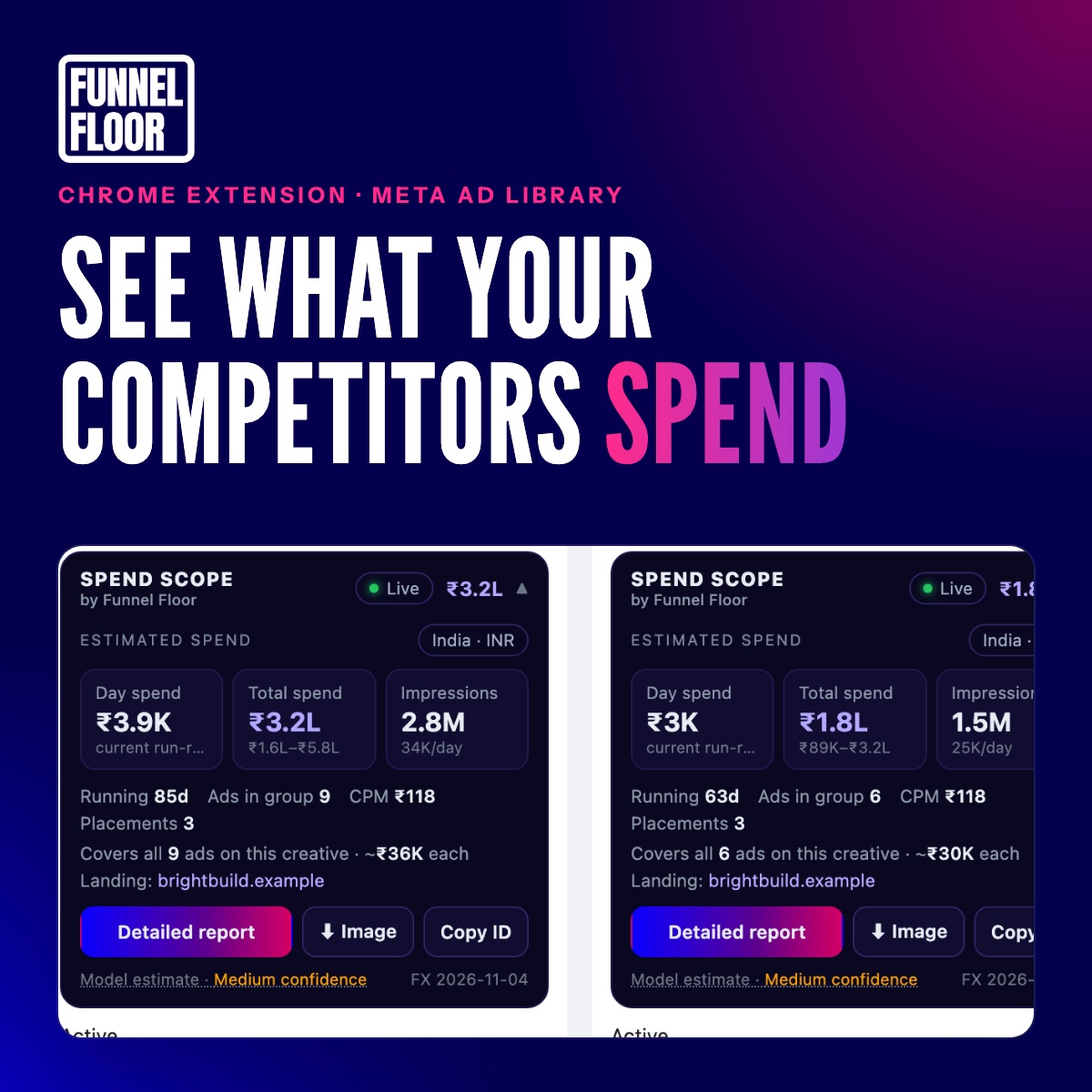
Stop guessing which ads work. See the estimated spend behind every ad in the Meta Ad Library.
🎁 Try it first, free. Sign in with Google and see the estimated spend on 7 ads. No payment, no card.
Try 7 ads free →Digital product · instant download · Licence terms · Refund & Cancellation Policy
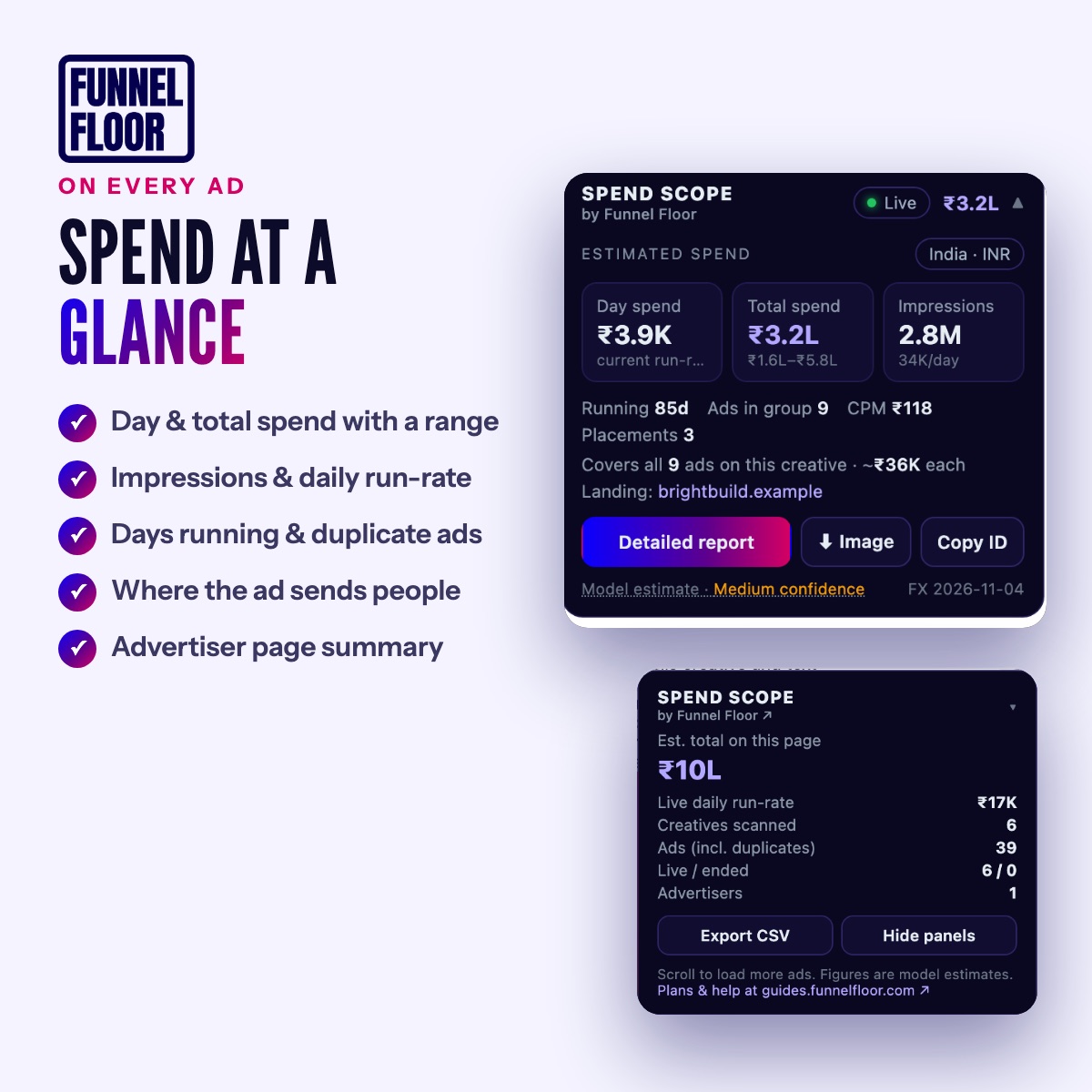
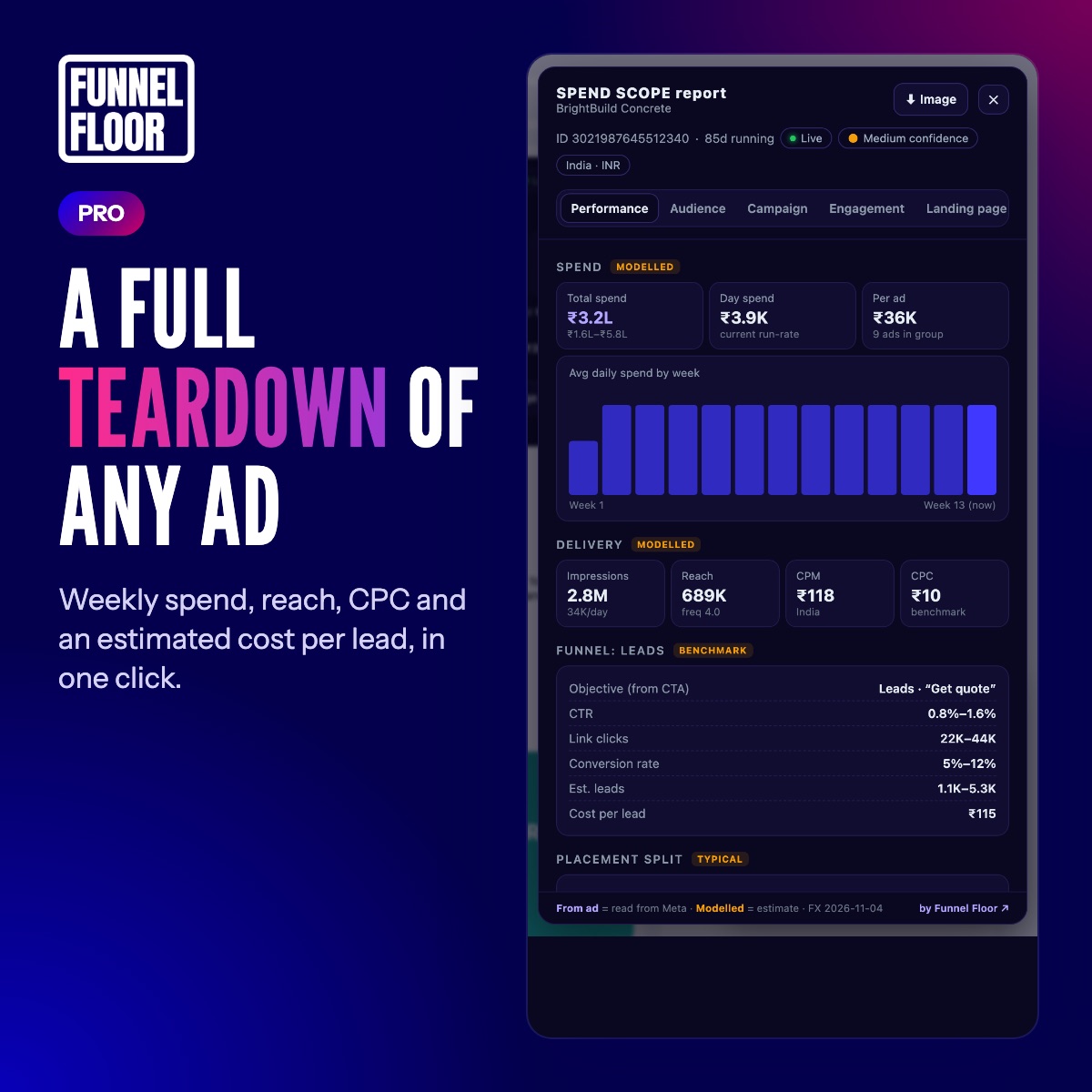
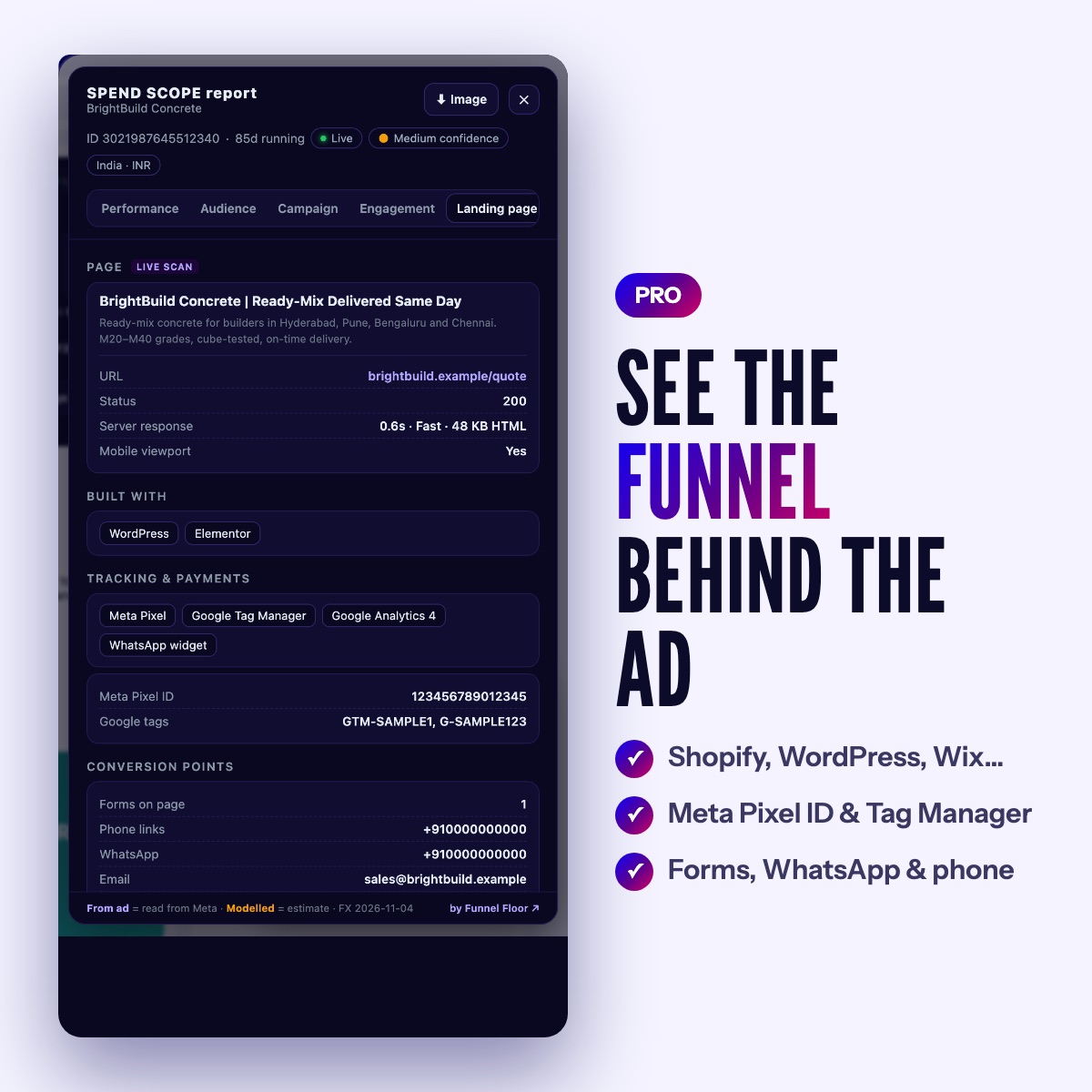
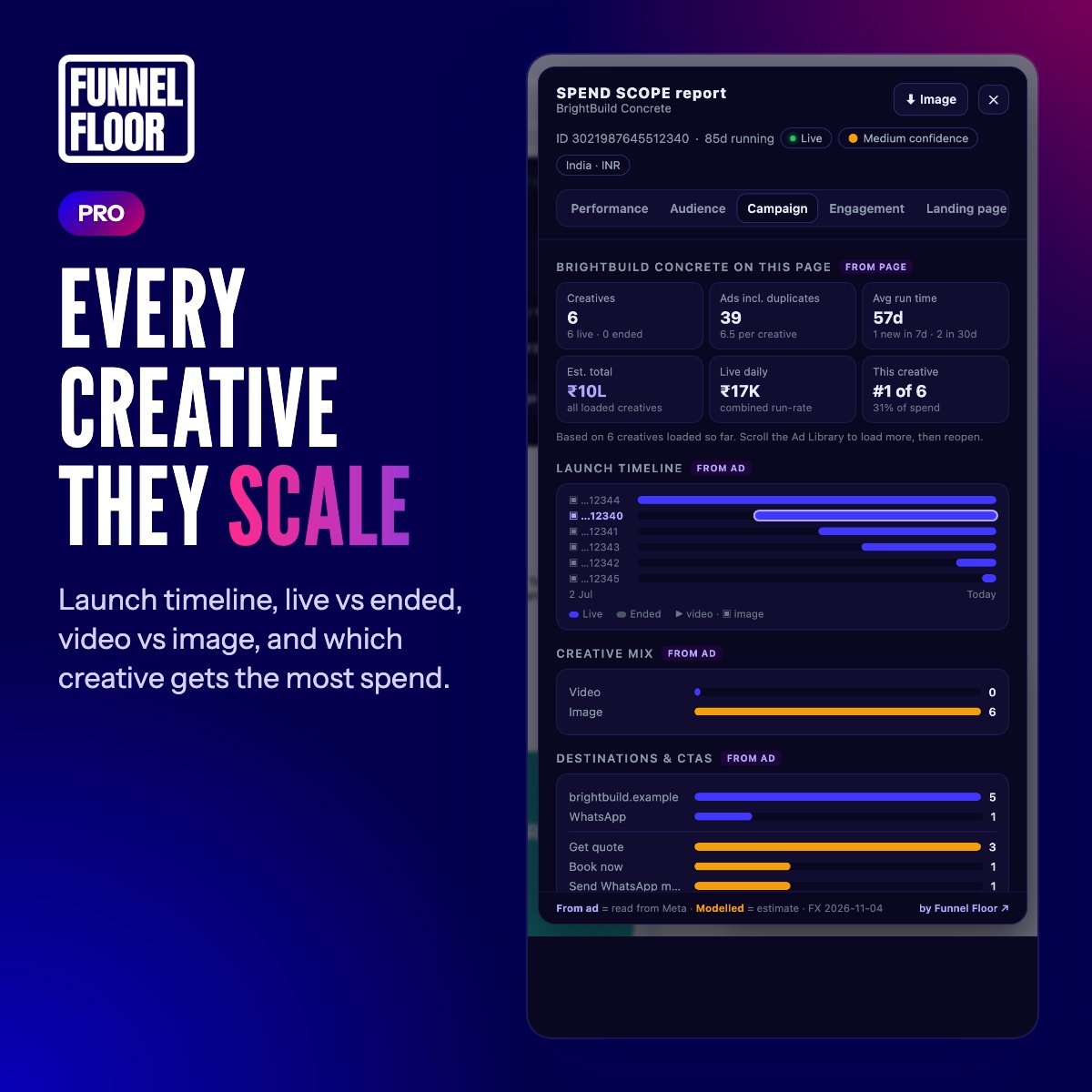
Real screenshots of the extension, shown on sample ads. Tap any card to see it full size.
If any of these sound like you, SPEND SCOPE was made for you.
You can see a competitor's ads, but not which ones they're putting money behind.
You test creatives from scratch while your competitor already found the winners.
Opening ad after ad, counting dates by hand, and still guessing at the end of it.
Competitor research that takes minutes, right inside the Meta Ad Library.
Three steps. No ad account, no coding.
Download, unzip, click "Load unpacked" in Chrome and sign in with Google. The download page shows every step.
Open the Meta Ad Library and search any brand or keyword. A SPEND SCOPE panel appears on every ad.
Pick out the long-running, heavily duplicated ads. Those are the angles worth testing in your own ads.
Note 1: Spend, impressions and leads are estimates. Meta doesn't publish spend for regular ads, so SPEND SCOPE models it from public signals and shows a low–high range. Use it to compare ads, not as an exact amount.
Note 2: It runs on a laptop or desktop (Chrome, Edge or Brave), not on phones or tablets.
Note 3: One licence works on one computer at a time, with the Gmail you activate it on.
Note 4: It reads the English version of the Meta Ad Library. If Meta changes the site, some numbers may pause until a free update.
Install it in two minutes. Search your biggest competitor. See which ads they're really scaling.
Try 7 ads free 👉What SPEND SCOPE does out of the box.
*Features of the software. Spend figures are estimates, and you can tune the benchmarks to your own numbers.
The detailed report, tab by tab. Included in Pro Monthly and Pro Lifetime.
🔒 Pro feature. Starter shows the spend panels and page summary.
See Pro plansWhat marketers say after using SPEND SCOPE.
The Meta Ad Library with SPEND SCOPE vs on its own.
Yes. Install the extension, sign in with Google and you can see the estimated spend on 7 ads of your choice, free. No payment and no card. After that, pick a plan: Pro for 30 days at (no auto-charge) or Starter at once.
No, and nobody outside Meta has that for regular ads. Meta only publishes spend for political ads and some EU reports. SPEND SCOPE estimates spend from public signals in the Ad Library (how long an ad has run, how many copies it has, where it's placed) plus market CPM benchmarks, and shows a low–high range. It's built for comparing ads and spotting winners, not for exact amounts.
After paying you land on the download page. Unzip the file, open chrome://extensions, switch on Developer mode, click Load unpacked and pick the spend-scope folder. Then sign in with Google. It takes about two minutes, and the page walks you through it.
Google Chrome, Microsoft Edge and Brave on Windows, Mac or Linux laptops and desktops. It doesn't run on phones or tablets.
Your licence is tied to your Gmail, so it works on one computer at a time and can't be shared. Use the same Gmail at checkout. If you pay with another email, you can activate it with the payment ID from your receipt.
No. The Meta Ad Library is public, and SPEND SCOPE works for anyone who can open it.
Starter (one-time) gives you the spend panel on every ad and the advertiser page summary, for life. Pro adds the detailed 5-tab report, the landing page scan, CSV export and creative downloads. Try Pro for 30 days with Pro Monthly, or keep it forever with Pro Lifetime.
No. It's a 30-day pass with no auto-charge. When it ends, buy it again to add 30 days, or switch to Pro Lifetime. If you own Starter, you keep Starter when the pass ends.
Instantly. After payment you go straight to the download page, and the link is also in your Instamojo email.
Try it on 7 ads free. Then from for 30 days, or once.
Try 7 ads free 👉⚡ Instant download · 📲 UPI accepted · 💻 Laptop / desktop Chrome